• English
  • 简体中文
  • 繁體中文
  • 한국어
  • ภาษาไทย
  • Bahasa Melayu
  • 日本語
pixivision
Make it interesting
Explore
  • Illustrations
  • Manga
  • Novels
Create
  • Tutorials
  • Behind the Art
  • Materials
Discover
  • Interviews
  • Columns
  • News
  • Top
  • Behind the Art
  • Rella making-of and interview - Drawing a peaceful and elegant world with Adobe Photoshop CC
Behind the ArtPR
2016.12.30

Rella making-of and interview - Drawing a peaceful and elegant world with Adobe Photoshop CC

  • interview
  • illustrator interviews
  • making-of
  • illustration material&software

Adobe Photoshop CC that can fill in the 10% required for the ideal product
- When did you first start using Adobe Photoshop?

About 9 years ago when I first got my pen tablet and decided to try out digital illustrations. The first software I tried out was Adobe Photoshop. I borrowed money from my dad to use it, and still am even today. I do use other drawing software, but always use Adobe Photoshop when it comes to important illustrations or work or complicated illustrations.

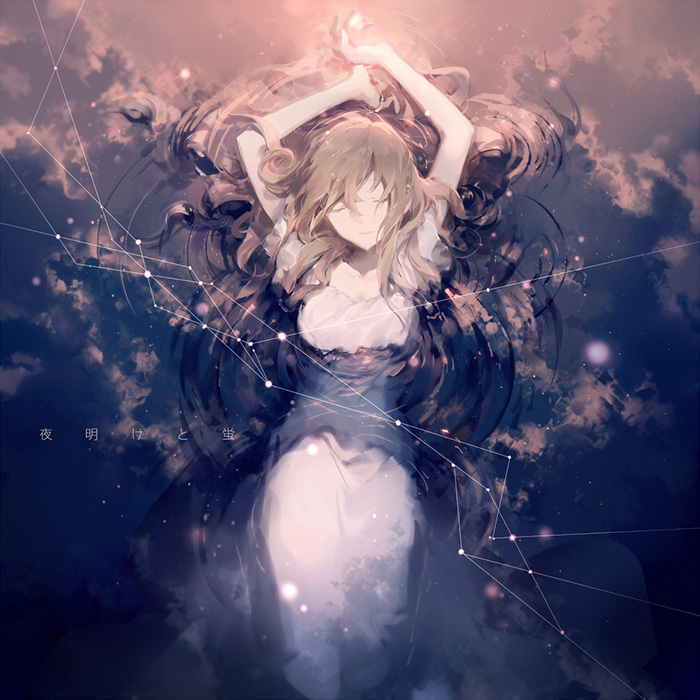
Yoake to Hotaru
- What is the most attractive point of Adobe Photoshop to an illustrator?

There's no particular function I can point out, but I guess that's part of its appeal.... It's so well-rounded. If I really had to pick one, I'd say the tone curve and filters. Thanks to these two functions, it's easier to express the effects usually deemed tricky to show.

- Which version of Adobe Photoshop are you using right now?

The newest Adobe Photoshop CC. I used to use Adobe Photoshop CS5, but I found CC easier to use and switched over. I haven't really customized it, but just use it with the default settings.

Adobe Photoshop has a rich variety of tools and brushes, but I prefer expressing myself through my hand-drawn illustrations, so I haven't really customized them. So I can't really say I'm an expert at it (lol).

- Do you generally prefer drawing everything by hand?

Yes. I went to an art school, and had the chance to attend some great classes. Most of the time at school was used on learning how to draw. The biggest takeaway I had was to basically look and draw. To just keep observing a certain motif and draw. I even spent about 30 hours drawing a small animal.


Even now, I try to express things like texture and light without the use of tools. It takes time drawing everything by hand, and may be faster with the use of filters, but these things accumulate as you draw by hand.


However, my hand can only do at best, 80-90% of what I have in mind. I'm sure everyone who works with drawing has felt this before, but it's impossible to draw 100% of what you have in mind. That's why I try to make my work exceed my expectations at the final stage. Adobe Photoshop's tone curve and filters help me every time.

Seeing and Drawing with the Hand

- Please tell us more about the illustration this time. The interactions between the character and background gave off a very unique atmosphere, and I can feel a strong message from it.

Since it was for a How To, I decided to go with what I was best at, by using a character I draw normally, with one of my favorite backgrounds.


She came to life one day as I was doodling, and doesn't have a name, but one of my friends calls her Tenshi-chan (angel) because she looks like an angel. That's so literal (lol). Her hair has the image of wings, and she has an angel's halo, but that's all I added.


The scenery revolves around the theme of a broad sky and wide ocean, a simple concept with just the sky, clouds and water surface. The combination of this background with her may give off a feeling of The End.
- Where do you get inspiration for these kind of backgrounds?

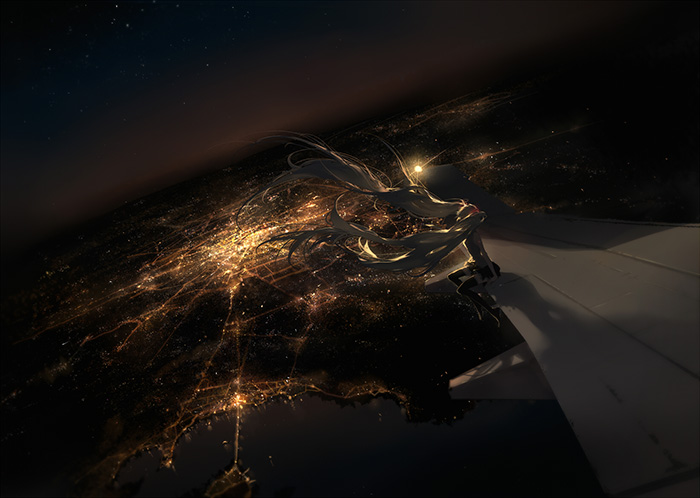
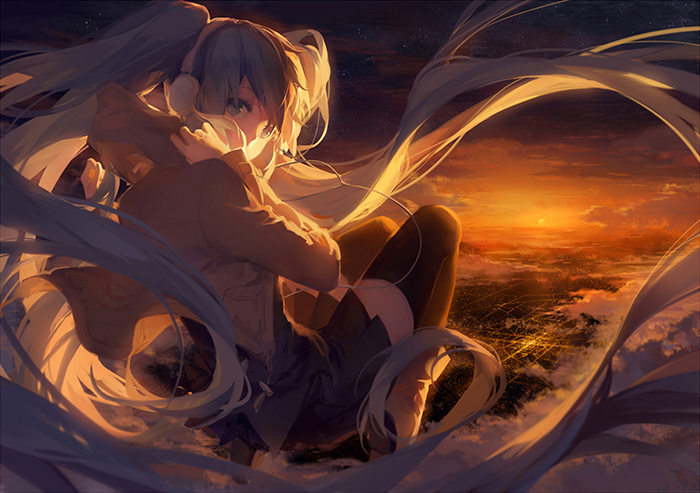
Most of the illustrations I've drawn so far came from scenery I've really seen in real life. For example, Hajimete no Oto which I released the year before was based on the sight of Tokyo from the airplane. I was't able to take a photo as the plane took off, so I burned the image into my mind. I draw Miku illustrations every year on her birthday, and I drew this that year while recalling the scenery.

Hajimete no Oto
Hajimete no Oto, drawn after witnessing Tokyo from midair.

I enjoy travelling and travel a lot, but seeing with your own eyes and seeing through photos are really different, even if it's the same place or same thing. It's great to take pictures too, but I want to try and see and remember them if possible.


And music too. I can't draw without music. I listen to everything - J-POP, Western music, anime music, and of course vocaloid music. The music I'm listening to greatly affects by work, so listening to sad songs brings out that  kind of atmosphere in my work. That's why I change the songs I listen to according to the type of work I'm trying to draw.

- What kind of music was it for this illustration?

I was listening to Santa Maria as I drew this! I love it and the image of Christianity I get from the lyrics and music.

- Your work, including this one, always has very interesting colors used. Is there anything you take note of?

I'm actually very bad at coloring, and colors in general. I learnt about what kinds of colors complement each other in school, but I always did the worst at this in school...(haha...).


My teacher thought me to "choose one color to work around, and then similar colors to add on". For example, if my main color was red, I would use similar colors like orange and pink.


I practiced using colors in a style unique to me, but I want to get better at colors. 

- How detailed do you draw your rough sketches

I have lots of things in my mind, but I only draw 2~3 patterns out of all of them. I then choose the one I like the most out of them, but the one that comes to mind immediately usually ends up becoming the illustration.


Sometimes, I lose my motivation halfway, so I try to finish everything in one go or it'll end up being really tough.... I've been drawing more recently, and it's taking me longer and longer to finish one piece of work, so it's been on my mind recently (bitter smile).

- It must be hard to keep your motivation up. How long do you usually take to finish one illustration?

It's very different when I'm on a roll and not, but I'd say about 10 hours in total. The piece that took the longest was glow, where I spent around 30 hours. It was the first time tried so many thick layers, and it was just so tough to draw in all the details. After spending a whole day drawing, I really didn't feel like drawing anymore after that...ehehe.

The illustration this time took about 12 hours.
glow
The illustration that took the most time, glow.

- Is there a theme or genre you'd like to try your hand at?

I'm now working towards something involving ruins and old machines, something with a plot behind it with someone working in the music industry. I haven't really drawn machines before, so it's something I want to challenge.

I really love drawing illustrations, and would like to continue trying my hand at new themes. That's my greatest wish.

Adobe Photoshop CC can bring your work up to the next level

Instead of trying to draw exactly what she has in mind, Rella uses Adobe Photoshop CC in order to exceed her expectations. Even in the making-of, all the layers and filters she used had significant effects on the illustration, and having all of them come together created an overwhelming piece of work sure to leave everyone in awe.


Some of you might find it too difficult, but Adobe Photoshop CC is actually not a tool for professionals. Like the website introduced above with the water surface filters, it's also suitable for beginners at drawing, and will definitely be a good tool in helping you improve.


Here's some good news for people interested in using Adobe Photoshop CC! 

Right now, pixiv Premium users are entitled to a 20% discount on Adobe products! The Creative Cloud Photo Plan which includes Adobe Photoshop CC and Adobe Lightroom only costs 784 yen/month for the first year. To all our readers at pixivision, how about giving it a shot?

Adobe Creative Cloud × pixiv campaign website

Adobe Photoshop CC Trial

Rella
  • Rella
  • Creator who focuses on illustrations and design.

    Designed the outfits of the 6 Element Theme Module characters released in Hastsune Miku -Project DIVA- X (SEGA) on March 2015, as well as the original tapestry (B2 size) illustration in the specials.

    In charge of costume design for the Nendoroid Hatsune Miku Harvest Moon Ver. (GOODSMILE COMPANY).

    In charge of the illustrations for the EHP-SL100A series Earphones, silver (ELECOM) that went on sale this November.

  • pixiv
    Titter
    Personal Website
Provided by:アドビシステムズ株式会社 / Planning & Production:pixiv
12

Newest articles tagged making-of

  • The Making of 13 Copic Drawings - A Lesson in Coloring

    The Making of 13 Copic Drawings - A Lesson in Coloring

  • The Making of 15 Watercolor and Colored Pencil Drawings - A Glimpse Behind the Scenes

    The Making of 15 Watercolor and Colored Pencil Drawings - A Glimpse Behind the Scenes

  • Animations of Works In Progress - Capturing the Creative Process

    Animations of Works In Progress - Capturing the Creative Process

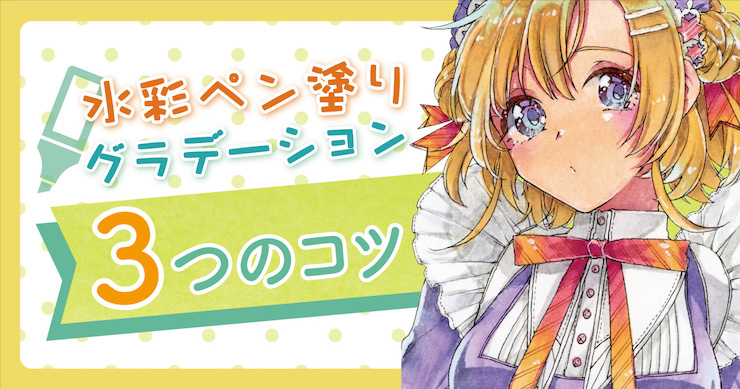
  • 3 Tips to Achieve Smooth and Cute Colors Using Gradients and Water! - Behold the Power of Water-Based Markers!

    3 Tips to Achieve Smooth and Cute Colors Using Gradients and Water! - Behold the Power of Water-Based Markers!

If you liked making-of, you will also love...

  • A making-of & interview with Kitsune: painting fantastic worlds with Adobe Photoshop CC

    A making-of & interview with Kitsune: painting fantastic worlds with Adobe Photoshop CC

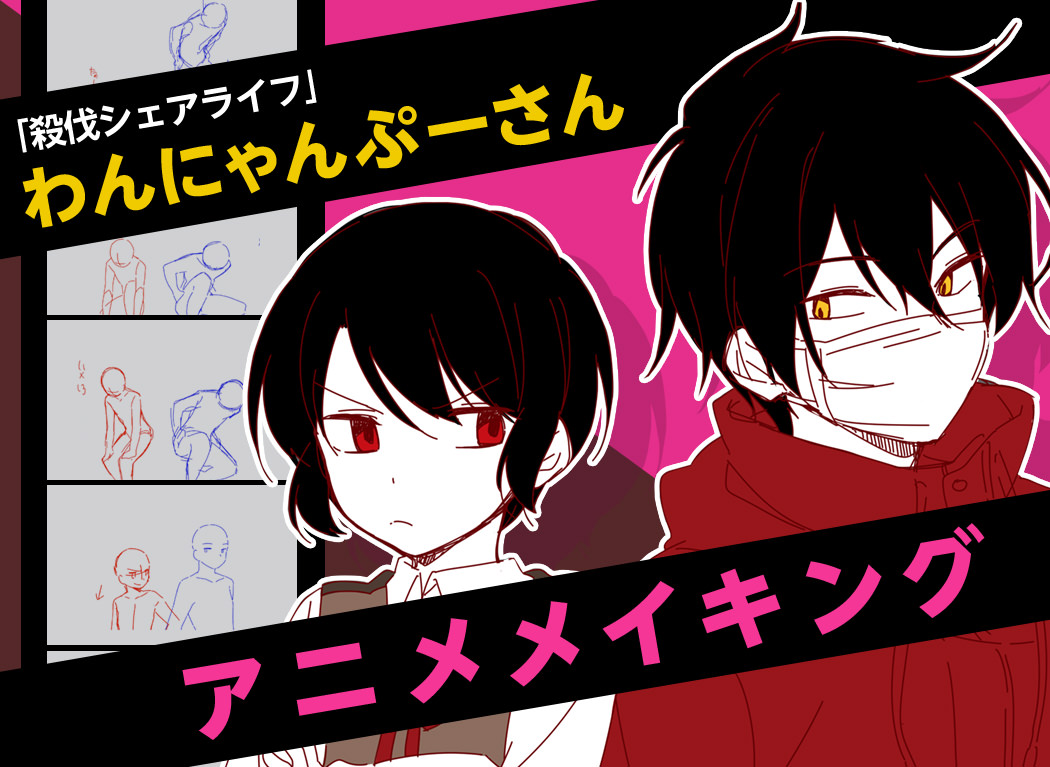
  • Interview with the artist “Wannyanpuu” and making of “Ugoira!” The particulars behind the creator’s craftsmanship.

    Interview with the artist “Wannyanpuu” and making of “Ugoira!” The particulars behind the creator’s craftsmanship.

  • Grisaille Art Technique

    Grisaille Art Technique

  • How To Create Pixel Art GIFs? An Interview With Illustrator Yuuta Toyoi

    How To Create Pixel Art GIFs? An Interview With Illustrator Yuuta Toyoi

  • 13 Drawing Coloring Tutorials - Thick Painting

    13 Drawing Coloring Tutorials - Thick Painting

Share this article
  • Share
  • Post
  • Share
  • Post

Tags:

  • interview
  • illustrator interviews
  • making-of
  • illustration material&software
Follow pixivision on Facebook!
Find us on X too!
Follow @pixivision
Stay updated with pixivision's daily features!

Newest articles tagged Behind the Art

  • The Making of 13 Copic Drawings - A Lesson in Coloring

    The Making of 13 Copic Drawings - A Lesson in Coloring

  • The Making of 15 Watercolor and Colored Pencil Drawings - A Glimpse Behind the Scenes

    The Making of 15 Watercolor and Colored Pencil Drawings - A Glimpse Behind the Scenes

  • Are you ready for Comiket? Useful Techniques For Your Event Booth

    Are you ready for Comiket? Useful Techniques For Your Event Booth

  • Wait a second! (Almost) Useless Tutorials

    Wait a second! (Almost) Useless Tutorials

View more▶︎

Follow pixivision's
official accounts!

p-chanMonthly Ranking
  • Illustrations

    Fan Art of Kisaki (Swimsuit) from B...

  • Illustrations

    Drawings of Patterned Bikinis - Pre...

  • Illustrations

    Drawings of Flared and Frilled Biki...

  • Illustrations

    Drawings of Upward Glances - Puppy-...

  • Illustrations

    Drawings of Falling and Floating - ...

p-chanFeatured
  • Illustrations

    Drawings Inspired by Alice in Wonde...

  • Illustrations

    Fan Art of Cyrene from Honkai: Star...

  • Illustrations

    Drawings of Pools at Night - Dreami...

  • Illustrations

    Fan Art of Mualani from Genshin Imp...

  • Illustrations

    Drawings Featuring Tied Hems - Knot...

Follow pixivision's
official accounts!

  • Top
  • About pixivision
  • Suggest a theme
  • English
  • 简体中文
  • 繁體中文
  • 한국어
  • ภาษาไทย
  • Bahasa Melayu
  • 日本語
  • pixivision
  • About pixiv Inc.
  • Terms of Use
  • Contact Us
  • Advertising
  • Privacy Policy
©pixiv