• English
  • 简体中文
  • 繁體中文
  • 한국어
  • ภาษาไทย
  • Bahasa Melayu
  • 日本語
pixivision
Make it interesting
Tag List
Explore
  • Illustrations
  • Manga
  • Novels
Create
  • Tutorials
  • Behind the Art
  • Materials
Discover
  • Interviews
  • Columns
  • News
  • Top
  • Columns
  • Machinery Tomoko Creates Stuff on Her Own! - Top 3D printers can now produce outputs at a low cost, so I'm going to give one a try! ~Trial Arc~
Columns
2019.09.14

Machinery Tomoko Creates Stuff on Her Own! - Top 3D printers can now produce outputs at a low cost, so I'm going to give one a try! ~Trial Arc~

  • Machinery Tomoko
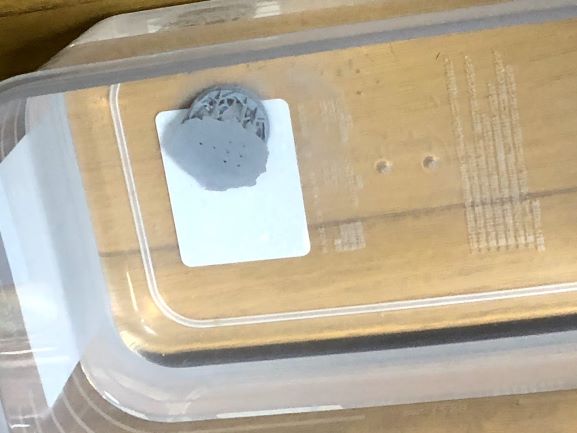
One day, after I decided to reset the Z calibration (the Z-axis position) on a whim, I was able to print without a hitch. Which means, all those failures were because the platform didn't fully reach the bottom!?

Yes. So that's how I finally managed to run a successful test. For people who are experiencing the same issue that I did, try resetting your Z calibration! I do think it was so careless of me...

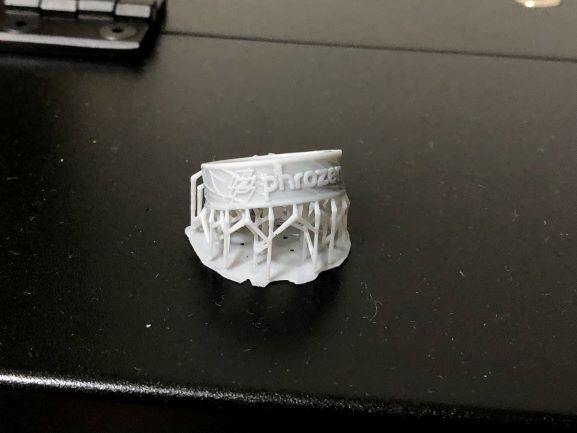
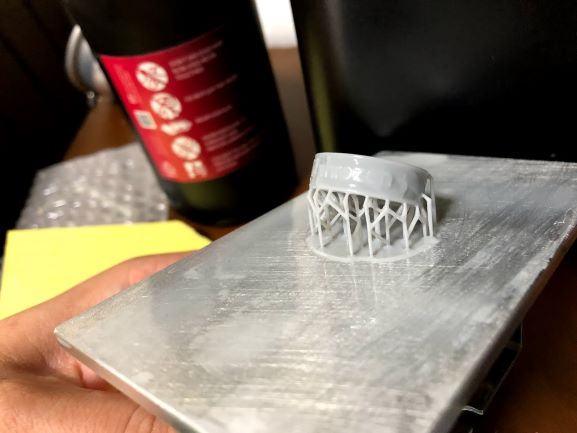
I put the finished product into the container of isopropyl alcohol and washed it to get rid of any uncured resin.

Voila! I did it! I'm deeply moved. This is a moment to remember. The material under the ring is called supporting material and it helps to prop up the product so it doesn't fall. It's like the runner of a plastic model. I went through a lot to create this, but isn't it amazing that I can create objects in my own home as long as I have the data? 3D printers are so exciting to use. 

So I tried using my own data... and failed!

I was able to run a successful test. I managed to produce a complete object (arguable). So now, I'm going to show what will happen when I try to create my own data from scratch and print a product based on them.
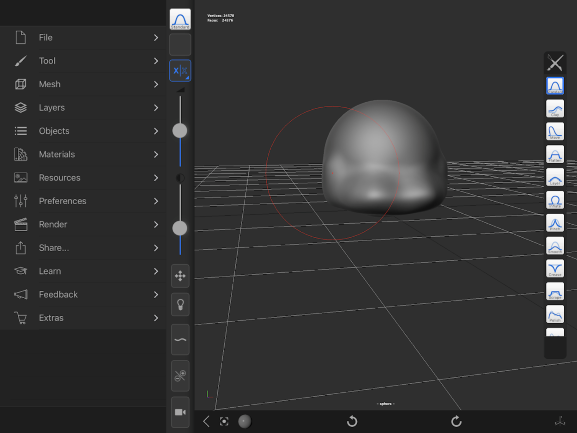
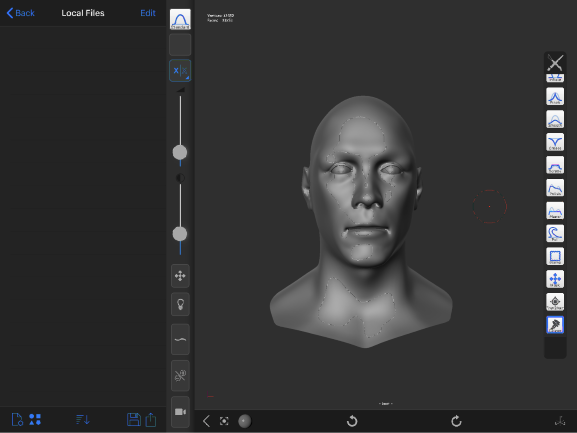
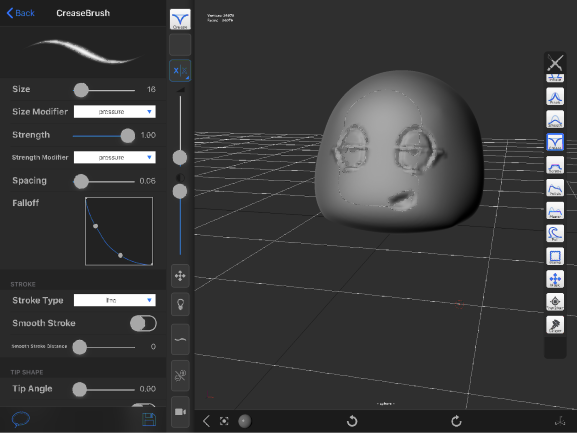
For that purpose, I decided to use the app called forger. It's a sculpting software much like the ZBrush software that I introduced in the previous article. When I heard that the price of the app is 600 JPY and it can be used on the iPad Pro, I thought this app would be perfect for me to try.


Knowing that I'll most likely fail if I try to create the entire body of a beautiful girl, I decided to create my own face.
Hmmmm???

What is happening here???

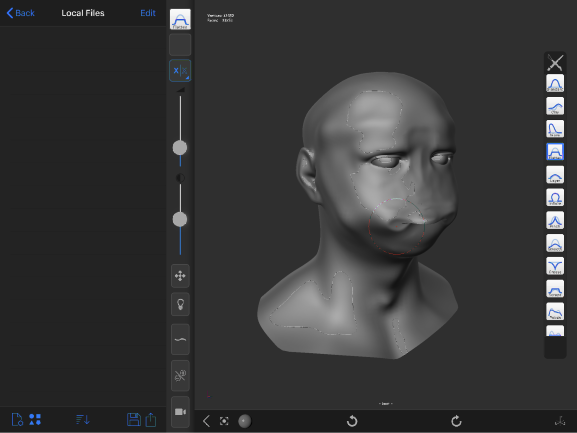
No, wait. Calm down. This app contains preset humanoid CG samples. All I have to do is remodel the preset. After all, all creative processes begin with the act of imitating.
??????
??????

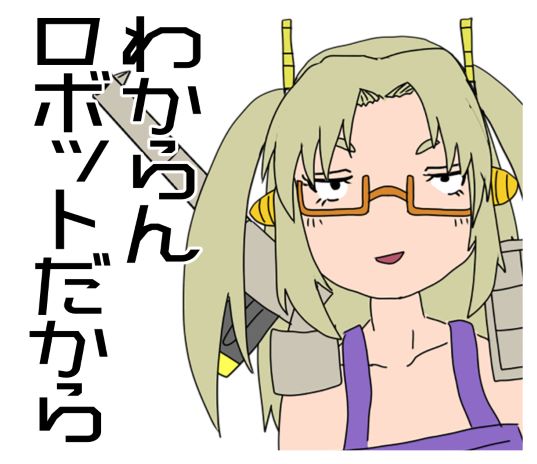
This is when I realize that someone inexperienced will never be able to create a woman's face right off the bat.


Just think about it. Do you think a human who's never cooked before can make a chocolate fondant when you ask them to? You should ask someone who's never cooked before to cook a fried egg and learn that yes, eggs do solidify when you fry them! When it comes to starting something new, baby steps are necessary. It's important to set a reasonable goal and gradually gain experience. Got it?


So in the process of writing this article, I decided to give up trying to create Akiha Ikebukuro's face, my face, and any woman's face in general. I tried to come up with something simple... something I could create with my unpolished skills and wouldn't look disturbing even if it appears messed up... At the same time, it should be something interesting that I could use for this article... What would it be... What would it be?


Oh! I know!
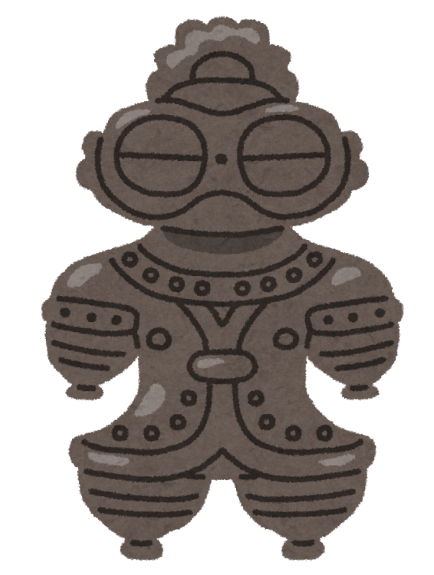
I'm going to create the spaceman clay figurine!!


It's cool and cute. It looks like a robot. And the structure isn't complex because it's an object originally made in the Jomon period! The details are roundish and hardly make sense, so I should be able to create a similar object with minimum skills!


I don't have to worry about creating detailed edges like a girl's hair or a Gundam's chamfering. Even without those edges, the clay figurine is already plenty unique! This is it! This is the only solution! I'll create this clay figurine!

Let's create a clay figurine ~Simple steps to use forger~
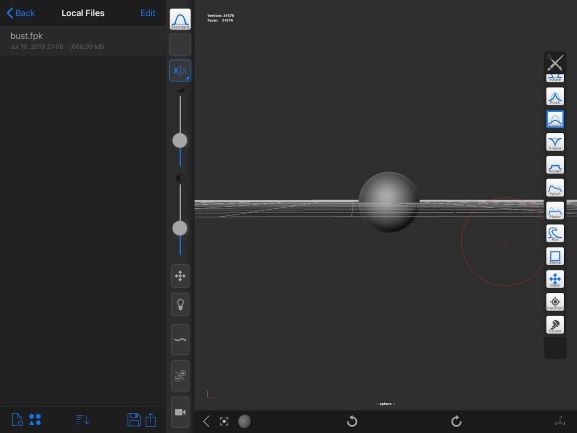
Now I'm going to start creating a clay figurine. I'll nail this one.


The buttons on the right side of the screen are the various brushes that you can use to create a model. Well, simply put, these brushes share the roles that your fingers and tools have when you shape real clay. For instance, how to shape the clay with your fingers or what spatulas to use. I think I'm going to learn about these brushes as I use them.
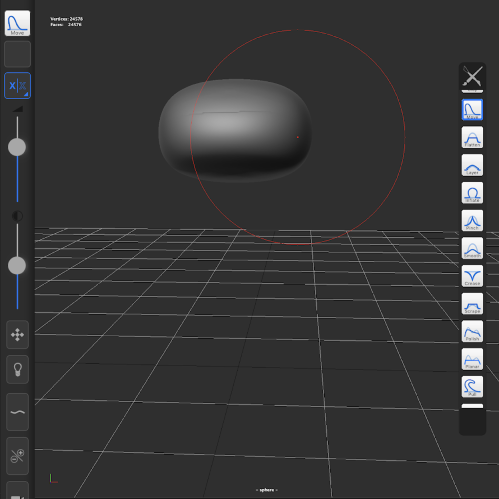
First of all, the head of the clay figurine looks like a smashed orange, so smashing the clay is what I'm going to do. For that purpose, I'm going to use a brush called Move. Judging by its name, I initially thought I could use the brush to move my clay. Well, think of it as a brush that allows you to pinch, push, or smash your clay.


If you want to create a model that looks overall smashed, enlarge the size of the brush to smash the model well.
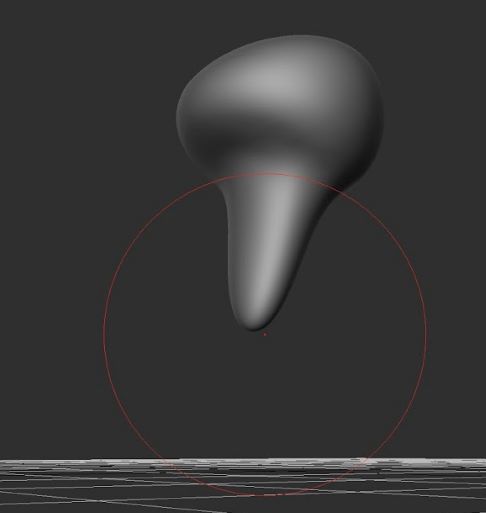
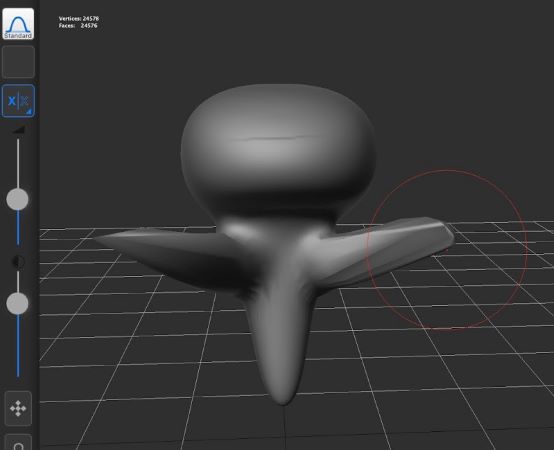
Next, I'm going to use Move to pinch and pull the clay down to create the figurine's neck and body...

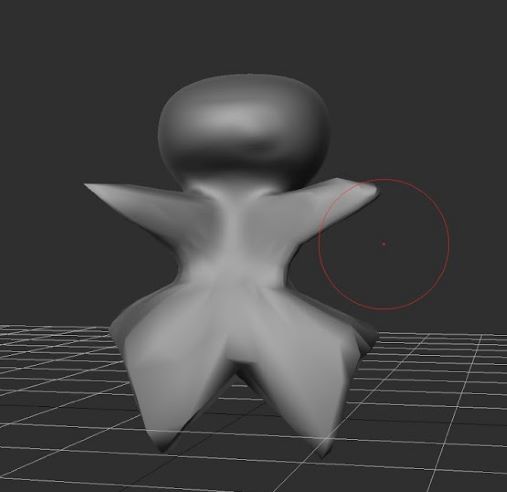
Let's create the base of the figurine's arms too. I know, the clay looks like a sea angel right now... By the way, the two Xs on the left are the buttons to turn the symmetry on and off. If you turn the symmetry on, you can create a symmetrical model. What a convenient feature!

It's got legs now! Sweet! It's starting to look like a clay figurine! It really does! I can actually create clay figurines!!

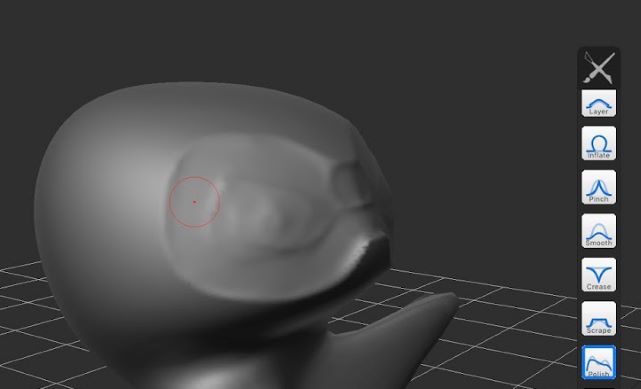
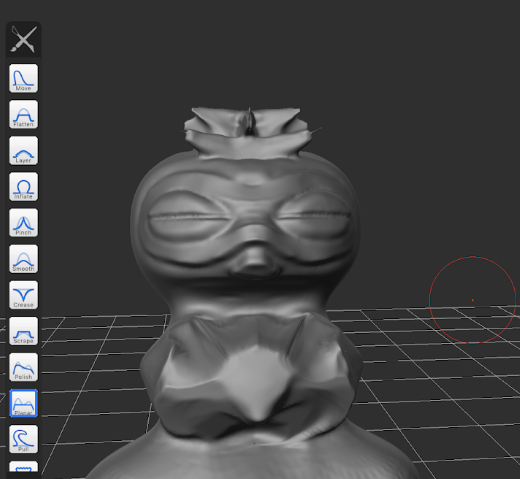
Let's start with the details of the head. I'm going to make the pattern that looks like a pair of glasses on the spaceman clay figure in several levels. With a brush called Polish, I'm going to flatten and smoothen out the clay.

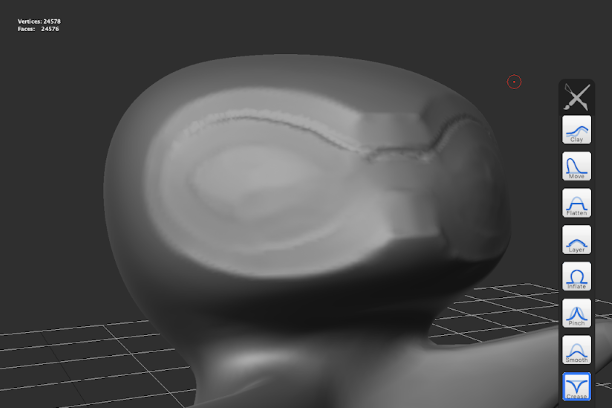
The boundaries are a little too blurry for my liking, so I'm going to make the levels of the boundaries clearer by carving as though I'm creating detailed line engravings. The brush I'm using is called Crease. Basically, this brush works like a toothpick. It pulls and scratches at your clay.
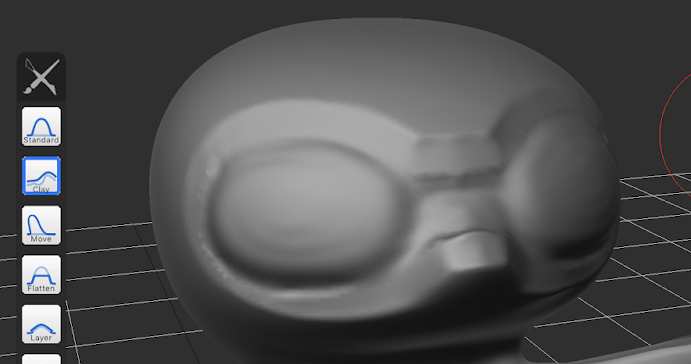
But pressing and pulling at the clay isn't enough, so I'm going to create some peaks. In order to create additional peaks, use Standard or Clay. Standard is a brush for you to add clay that adjusts itself when put on top of an uneven surface. On the other hand, Clay is a brush that you use to add clay that remains rough-looking regardless of the surface you put it on. I used Clay to create the peaks on the figurine's eyes.

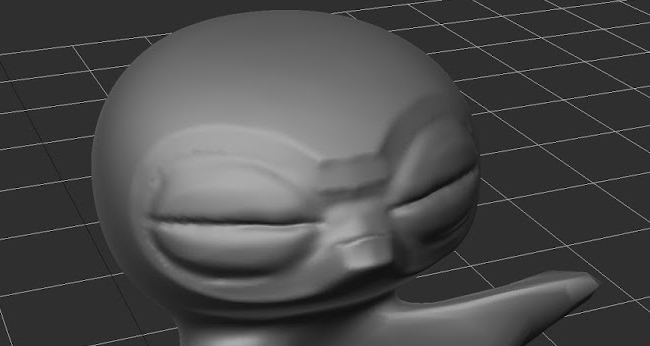
And then, after using Crease to draw the horizontal lines on its eyes... my model now looks quite similar to the spaceman clay figurine!!

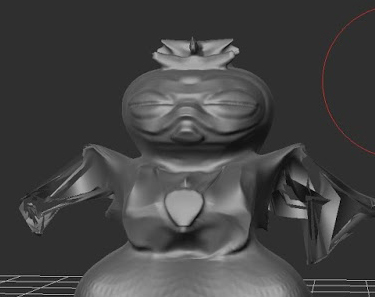
I'm going to continue creating a cool clay figurine by using various brushes. If the surface of the model looks a bit rough, you can use the Smooth brush to smoothen it out.

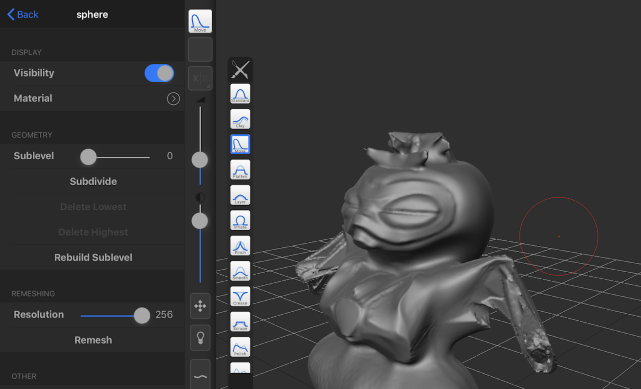
As I grow engrossed in fiddling with the model, sometimes it gets all bent and distorted like the CG photos above (for instance, the arms).

In that case, apparently you can tap Subdivide from the Mesh menu to somehow fix the shape.

I keep at it for a while and...
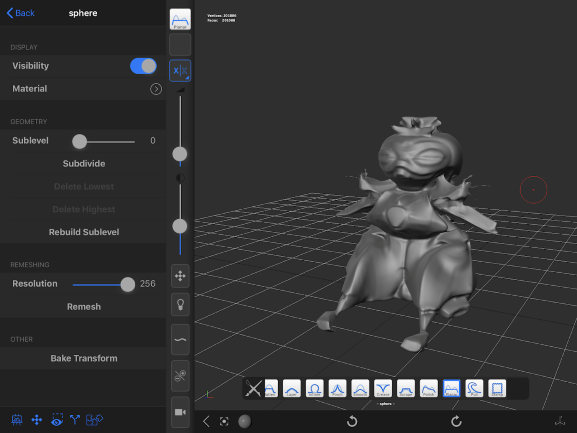
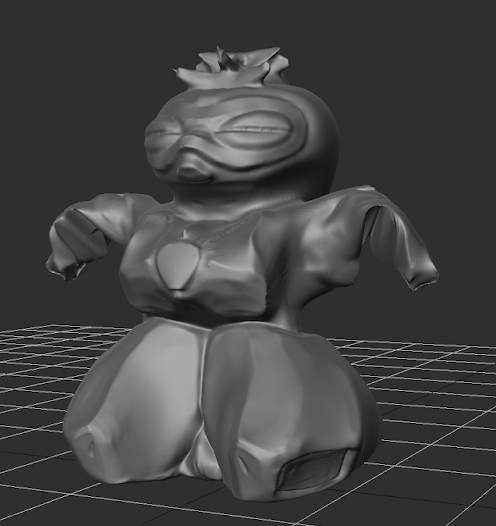
My super cool clay robot is now finished. What is this thing? An enemy character in Zambot 3?


Somewhere along the way, I thought it'd be boring if I created an average-looking clay figurine. So I made a drastic decision by transforming the model into a menacing clay figurine-shaped mecha in the Hover armor. Well, I had fun creating it, so I guess it's all good. I completed this model in about four hours since the state when it was just a sphere.

Let's print the clay figurine with the 3D printer
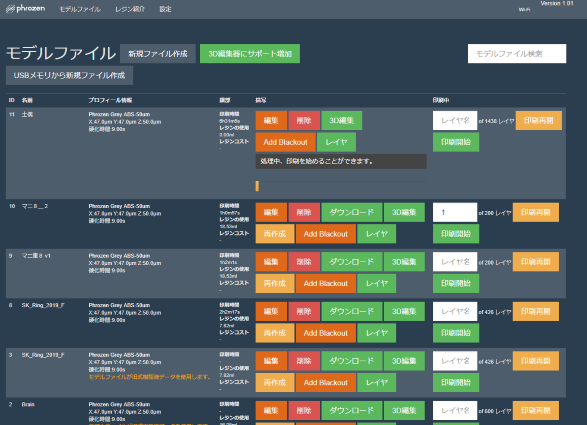
I'm sending the data to my 3D printer via a browser...

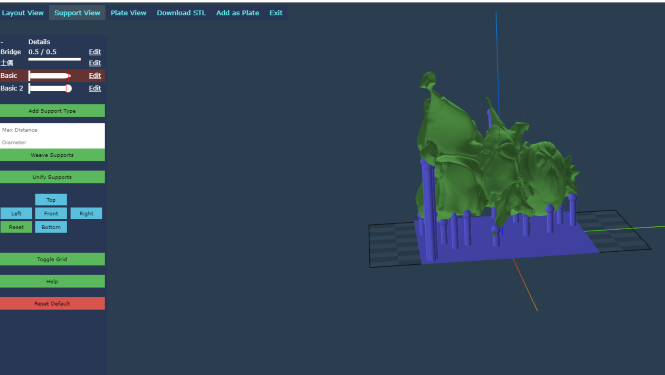
Then on the browser, I'll set the angle of the output from the 3D editing page and attach supporting material so that the resin doesn't fall onto the platform during the printing process.
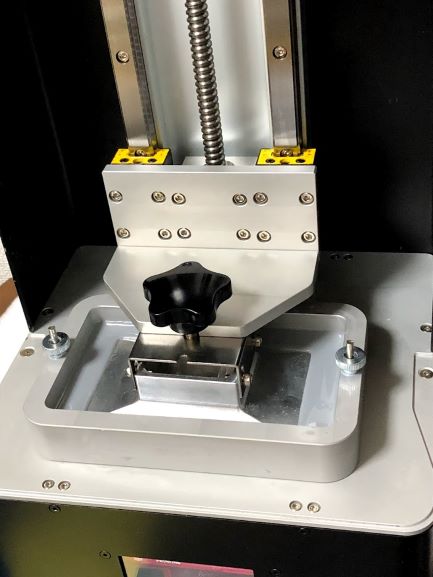
And I shall start the printing! Looks like the printing will be done in about seven hours.
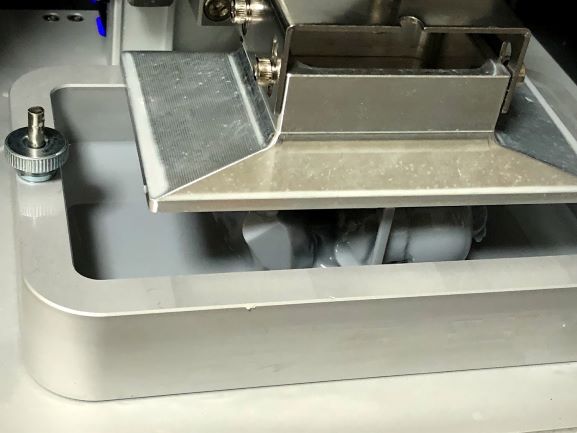
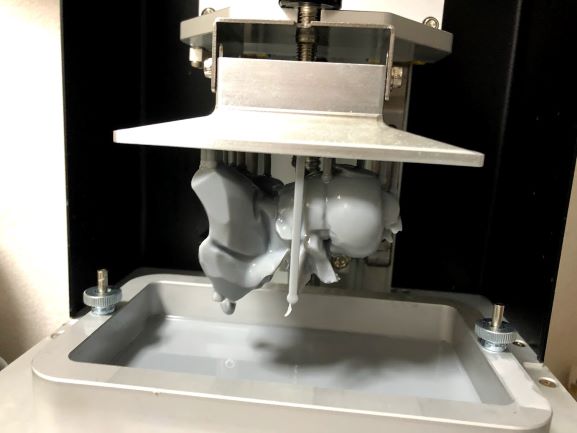
I take a look at the printing process...
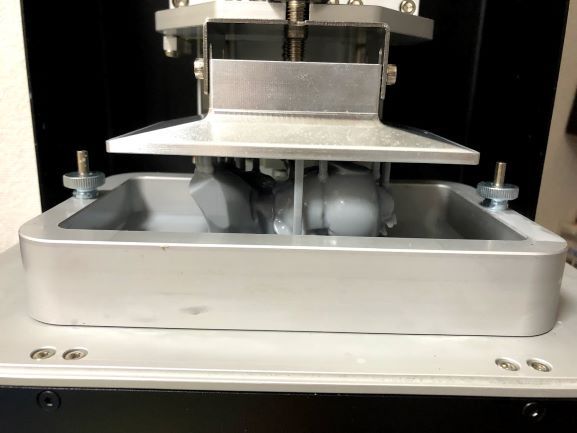
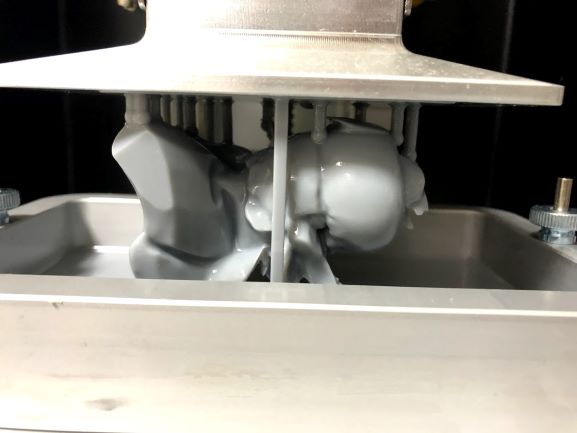
And this is how...

...my object comes to life! I'm so hyped~!

Done.

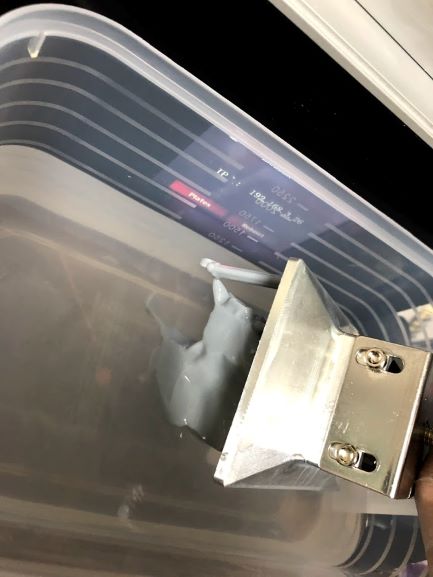
I'm using IPA to wash off the unnecessary resin.

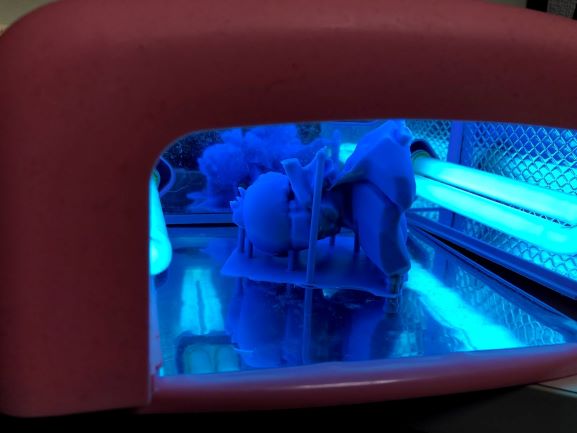
Here comes the final step. Truth be told, when you pull your creation out of the 3D printer, there's still uncured UV resin around it and it's kind of flabby. So, I'm going to use an LED lamp that people usually use on their handmade craft to cure the figurine lightly.

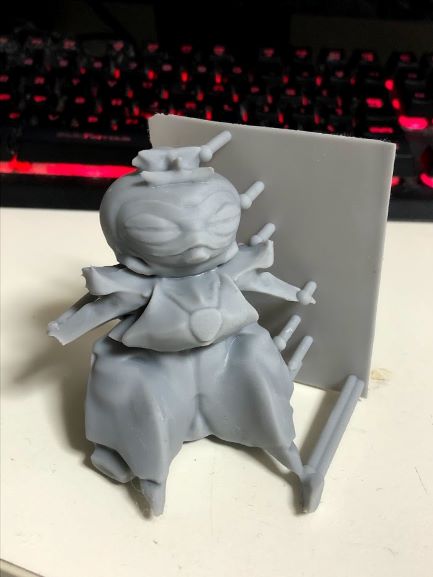
And it's done!! This is the first work that I created so that I could print something using my rapid prototype 3D printer!

...It's a clay robot... (It's hard to tell, I know.)
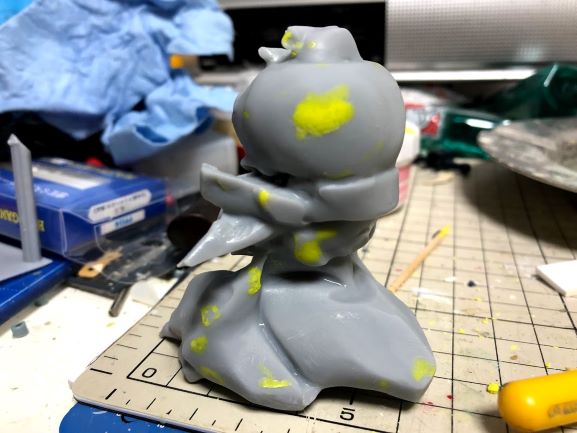
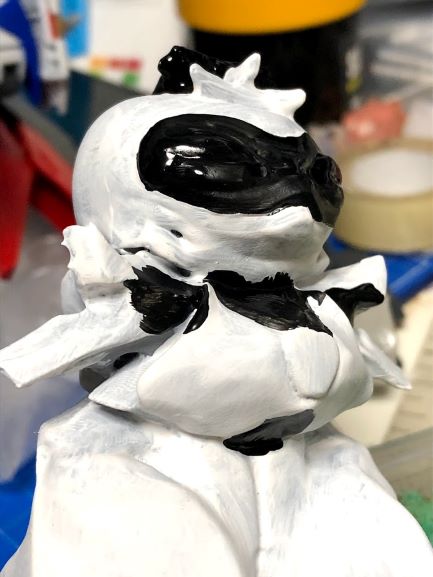
From here on, you're going to do the same steps you go through when creating a plastic model. You file the object, you take off the rough supporting material and the parts that didn't come out well, and you fill any dented parts with putty...

Next comes the coloring process. I found it to be such a hassle to take out my airbrush, so I painted the object with normal brushes...

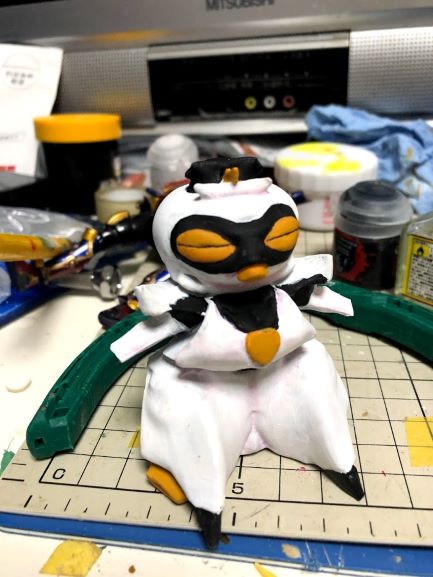
Done. What's up with this combination of colors? I used Citadel and Vallejo paints and the premium topcoat from GSI Creos for the finishing. I wiped off the shine to hide any color unevenness and the object doesn't look that bad if I say so myself.

Not sure what to name this object, but I had fun creating it
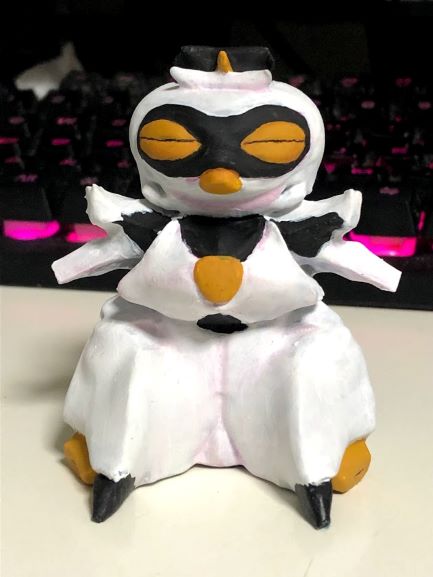
I originally created the object with the spaceman clay figurine in mind, but after a sloppy job at coloring it, it looks more like the devil possessed a chicken or a riceball spirit.
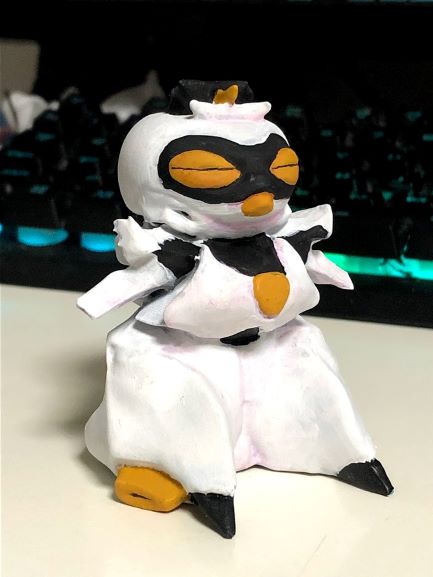
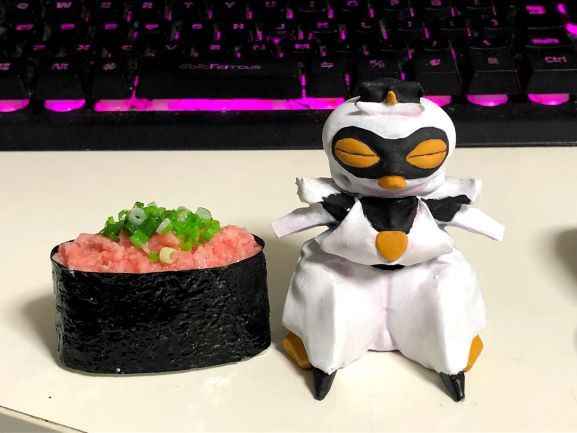
I'm not sure what to name this object, but I personally think it has a special charm to it and it's cute. Thanks to it, I was able to practice creating my own data to print something using my 3D printer. That makes me happy.

This is how the object looks like next to a sushi food model. It's cute, right? Because it's cute, I'm going to put this object on my toy shelf as a decoration.

So there you have it, a brief report of my first experience using a home 3D printer. I honestly had so much fun with it and I think it's a machine that you can use to do a lot of things~ With this printer, I want to create tons of Machinery Tomoko merchandise and earn money!


If you plan to create a figure of a beautiful girl straight away, you might be frustrated at some point during the process. So I think you should brush up your skills by creating clay figures or other ancient objects first. It can be fun as well. What do you think?
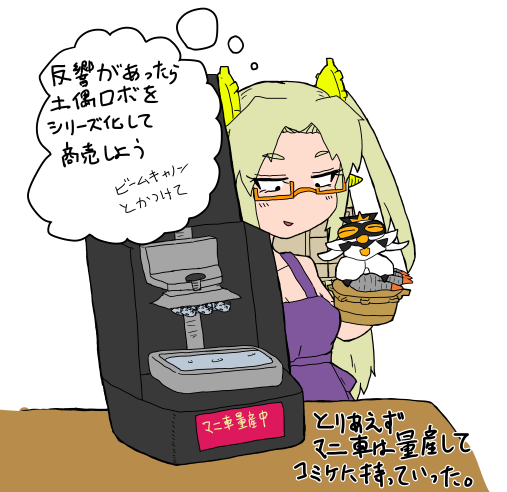
Come to think of it, I wouldn't have thought of creating a clay robot with my own hands if I hadn't purchased the 3D printer. It makes you marvel at the magic of an encounter, really. This is why starting a new hobby is exciting.


Well then, thank you for reading this lengthy article and I think I'm going to excuse myself here. I'll continue to create various things and if I manage to create anything sellable, I'll put it up on BOOTH. That's the plan, so I look forward to your support!
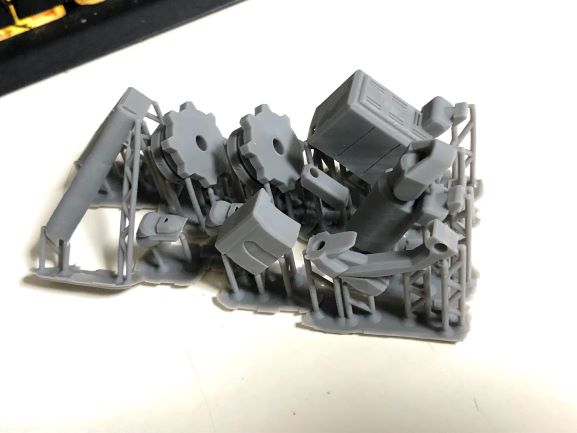
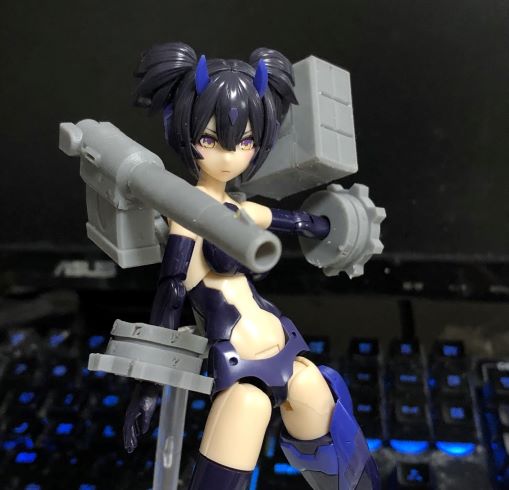
I'm currently creating the Weapon Series of Machinery Tomoko. It includes weapons that you can equip your figures of beautiful girls with. It's really a fun process, so you should try creating plenty of things on your own, too. See you later!

Machinery Tomoko
  • Machinery Tomoko
  • I'm a cyborg VTuber who became a YouTuber in order to support Akiha Ikebukuro from The Idolmaster Cinderella Girls. I exist and collect virtue through arm prayer wheels. And yet I've been taking only writing jobs. Why? (Someone please offer me a collaboration job.)


  • Twitter
    Website
    pixivFANBOX
12
Share this article
  • Share
  • Post
  • Share
  • Post

Tags:

  • Machinery Tomoko
Follow pixivision on Facebook!
Find us on X too!
Follow @pixivision
Stay updated with pixivision's daily features!

Newest articles tagged Columns

  • 7 articles from Curry Zawa Kaoru’s Creative Counseling that captivated readers - See what is popular on pixivision!

    7 articles from Curry Zawa Kaoru’s Creative Counseling that captivated readers - See what is popular on pixivision!

  • Curry Zawa Kaoru's Creative Counseling -  "Do I need to socialize to sell out my stock?" Socializing isn't the first step.

    Curry Zawa Kaoru's Creative Counseling - "Do I need to socialize to sell out my stock?" Socializing isn't the first step.

  • Curry Zawa Kaoru's Creative Counseling - “I can’t ignore creators who look down on my favorite characters.” Stop hating the person; hate their work instead.

    Curry Zawa Kaoru's Creative Counseling - “I can’t ignore creators who look down on my favorite characters.” Stop hating the person; hate their work instead.

  • Curry Zawa Kaoru's Creative Counseling - “I can't stop writing erotic fanfic.” There are so many ways to love your favorite characters  and they're all valid.

    Curry Zawa Kaoru's Creative Counseling - “I can't stop writing erotic fanfic.” There are so many ways to love your favorite characters and they're all valid.

View more▶︎

Follow pixivision's
official accounts!

p-chanMonthly Ranking
  • Illustrations

    Drawings of White Bikinis VS Black ...

  • Illustrations

    Fan Art of Hoshimachi Suisei - A Br...

  • Illustrations

    Drawings of White Hair and Red Eyes...

  • Illustrations

    Drawings of Tied-Up Shirts - Knot Y...

  • Illustrations

    Fan Art of Remielle Dan from Zenles...

p-chanFeatured
  • Illustrations

    Drawings of Selfies - Love Your Sel...

  • Illustrations

    Drawings Inspired by Alice in Wonde...

  • Illustrations

    Drawings of Pools at Night - Dreami...

  • Illustrations

    Fan Art of Burnice White from Zenle...

  • Illustrations

    Drawings of Side Ponytails - The Wi...

Follow pixivision's
official accounts!

  • Top
  • About pixivision
  • Suggest a theme
  • English
  • 简体中文
  • 繁體中文
  • 한국어
  • ภาษาไทย
  • Bahasa Melayu
  • 日本語
  • pixivision
  • About pixiv Inc.
  • Terms of Use
  • Contact Us
  • Advertising
  • Privacy Policy
©pixiv