
Learn how to produce beautiful prints at home from the expert! - Settings are the key.
Article: Nobuyuki Kubouchi / Photograph: Kazuki Miura / Editor: Hitomi Sakuma
This time we asked the popular illustrator U35 to try some home printing techniques and tips that can boost the quality of your prints.
U35 normally draws everything, from sketch to final illustration, digitally. After drawing in RGB mode, she would convert the color mode to CMYK and submit her illustration to a print shop. Her printer at home is used only to print documents and some catalogs, and we are pretty sure that most of you use your home printers for a similar purpose.
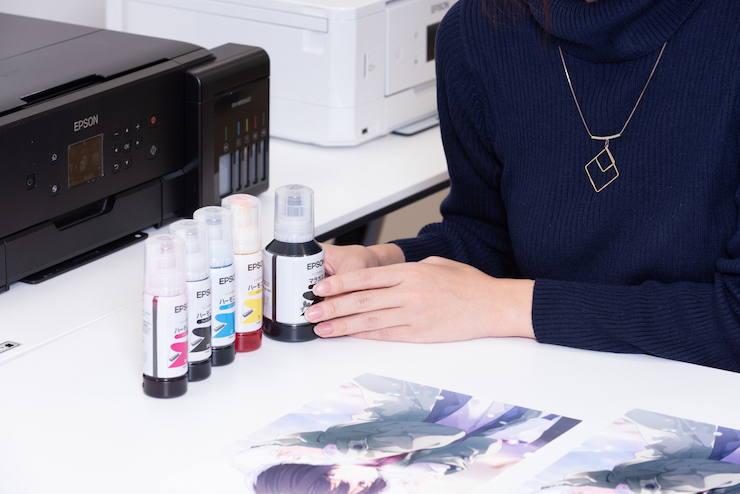

There is more than one type of color management!? Here are 2 tips to a beautiful print that you can try right away!

Epson Sales Japan (hereafter Epson) There are two setting-related tips that you can try to achieve beautiful prints using your home printer. Before that though, could you tell me what steps you usually take when printing an illustration?
U35 I simply click 'Print'! But I do adjust the paper settings when I use printer paper.
Epson I see. Well, the first tip is indeed related to paper or media type settings. If you mess up your paper settings, the image will often look rough and the hues awful. When your illustration comes out looking rough despite the high-quality paper that you used, most of the time it's an indication that you didn't put the correct paper settings. A printer adjusts the amount of ink and printing details according to the quality of the paper used. So we recommend registering settings that match your media or paper before you start printing.
Epson The second tip is to choose a type of color management or correction. Some printers allow you to choose an automatic color tone correction (e.g. Auto Photo Fine! EX) which optimizes color tones based on face-recognition. But if you let this color management be selected when you print an illustration, your illustration will wind up looking a bit too gaudy or even in the wrong color tones.
── Then what should we do with the color management when printing an illustration?
Epson If you are using an Epson printer, then all you have to do is change the color management to 'Epson Standard' in the printer settings. The details and steps differ among printers, so please read the manuals carefully. This is also a setting that you can select in older Epson models, so please try it with your Epson printer. We believe you will witness a significant change in printing results.
U35 My home printer is an Epson! I can't wait to test these tips at home!
Paper or Media Type Settings
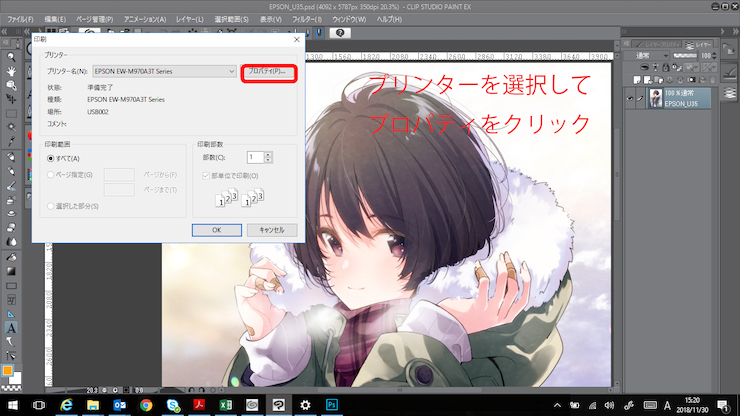
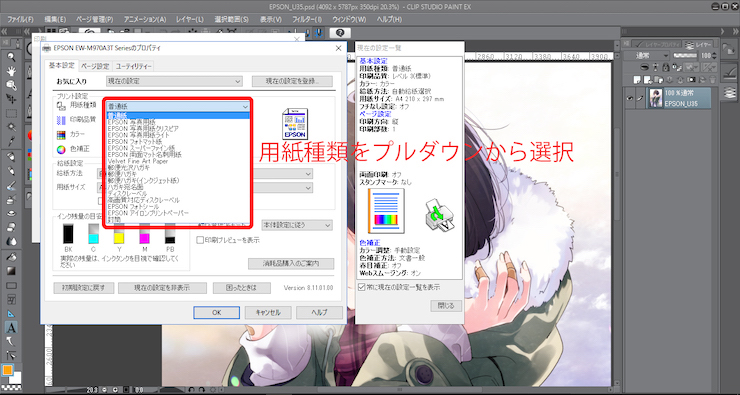
▲ Different paper and media types require different volumes of ink, so be sure to choose the correct paper or media type to achieve a higher quality!
Epson Standard Color Management Setting
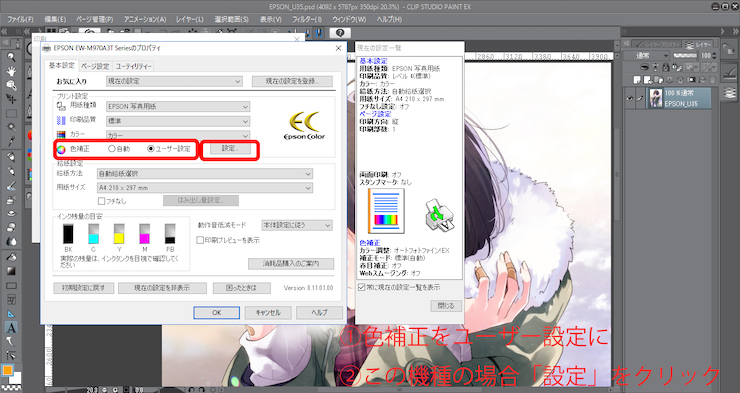
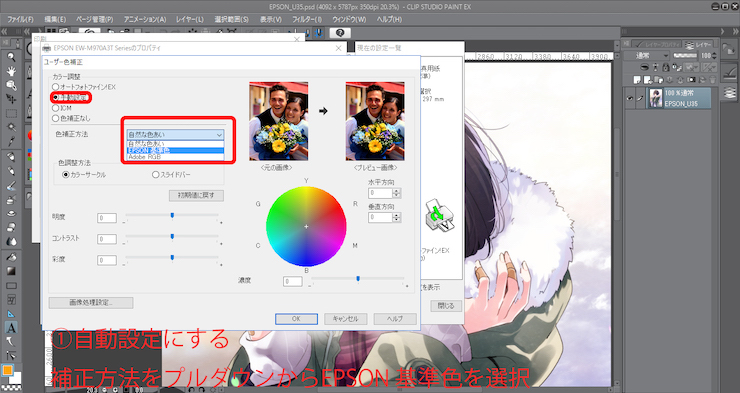
▲ Instead of selecting a color management option meant for photos, choose Epson Standard to faithfully pour the beauty of your illustration onto your chosen paper or media type!
Want to print name cards with astonishing quality or original merchandises? We'll show you how!
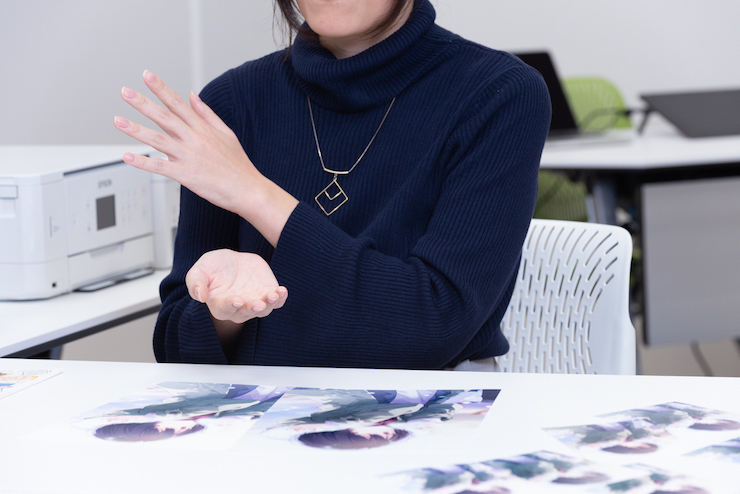
── Is there any merchandise that you would like to create featuring your illustrations?
U35 I wish I could create original stickers that I could stick on snacks, presents, or letters that I give to my author acquaintances during events. I think exchanging original merchandises, which do not necessarily have to be anything big, can be an interesting part of our interactions.
Epson We understand that you want to give only the best merchandise especially since you'll be delivering it personally. We have brought with us several prints produced using the EW-M970A3T model which has a built-in EcoTank. Volume sellers provide various types of media for inkjet printers, including the film to print metal tones and cell images, Japanese paper, and thick paper. They should also offer self-adhesive media.
The EW-M970A3T model is compatible with A3-size media and thick paper, so you can use it to print on a wide range of media.
U35 Wow! The texture of this media does resemble that of the film used for cell images! With this media, I feel like I can produce some really cute stickers! And since the printer can produce beautiful results on our preferred media, I think it'll work just as great if I use it to make name cards! I know there are papers that we simply have to cut in order to make name cards, but because the printer is capable of generating high-quality prints on these many types of papers, creating our own name cards on our favorite paper sounds like a great and wonderful idea.
Epson I see... That does sound feasible as long as we have a template layout for that. We will still have to cut the name cards ourselves, though.
U35 I think the regular name card size will do. Lines and crop marks will be very useful too.
Epson That's true. With that template, anyone will be able to create name cards using numerous types of papers... All right, let's do this! We will create a template that can help people produce some nice name cards!
Your strongest ally before an event! Enjoy the large capacity ink tank and low cost!
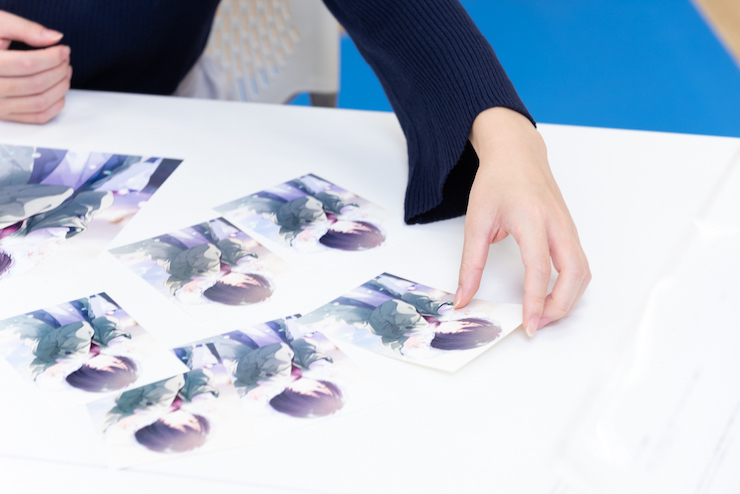
── Most people must have experienced running out of ink in a specific color just when they needed it the most before an event... And then they ended up having to abandon their work altogether.
Epson Yes. The number of people who have run out of ink might be larger than we think. The EW-M970A3T model is equipped with EcoTank, a bottle-type ink tank with large capacity. A single replenishment can produce about 5,000 pages of A4-size colored documents. You can check the remaining ink with a single glance, too, hence reducing the fear of running out of ink.
── That sounds like more than enough ink to generate a small number of prints, like postcards.
Epson Yes. You can print as few as you would like or print 10 pages each of different drawings or patterns and have your fans choose what to have.
── Since the printer can be used to print A3-size paper, an artist can use the printer to print their event catalog, which they often prepare at the last minute, and the card indicating the end of their booth's queue. We know sometimes artists need to get creative about it by combining several A4-size papers.
Epson Exactly. The EW-M970A3T model can be used to print on A3 paper, so artists can indeed use it to print their catalogs, posters, and end-of-line cards, each on a large-sized paper. Additionally, by utilizing this printer, artists can reduce their printing cost by a great deal, so they will no longer have to put up with bad and expensive printing.
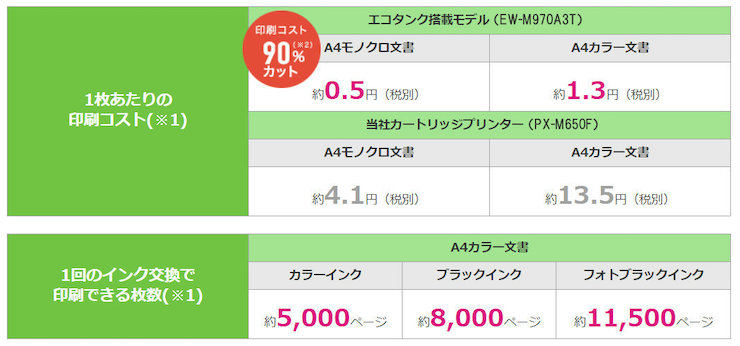
The secret to EW-M970A3T's low-cost printing is the EcoTank it is equipped with. Compared to printers with cartridges, the EW-M970A3T model not only requires minimal effort to change the ink but also reduces your printing cost by 90% (see Note 2).
In addition, the printer enables you to print an A4-size colored document for about 1.3 Japanese yen and an L-size illustration (photograph) for about 6 Japanese yen. Artists can now enjoy a stress-free time printing their illustrations even if they do it on the day before an event. Incidentally, the printer takes about 24 seconds to print an L-size illustration (photograph).
Note 2: The EW-M970A3T model's A4-size colored document printing cost in comparison to that of the PX-M650F model.
Having lived in a remote neighborhood before, U35 appreciates the importance and fun of home printing.
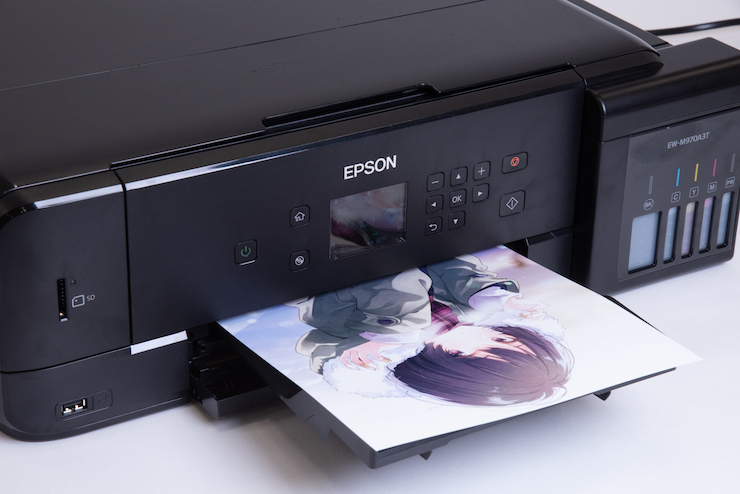
U35 used to worry about the printing result whenever she would submit data to a print shop. Although she could order the paper that would be used for printing and try printing on the paper herself, at the end of the day, she could only make sure of the result after the print shop completed her order. Thanks to the interview, she was able to understand the charm of home printing as it allows us to instantly print on various types of media, including high-quality paper, Japanese paper, and thick paper that suits artworks extremely well.
Sometimes, after submitting the data of their event book to a print shop, an artist will find themselves wanting to create a bonus leaflet. But with only the convenience store's printer to rely on, they are often faced with issues such as finding a typo after they have done printing, having to live through an embarrassing experience because another patron comes into the store, and much more! This is where the fact that you can now generate a high-quality print at a cost lower than that incurred at the convenience store becomes invaluable.
With the EW-M970A3T model, you can produce prints in breathtaking colors, name cards, stickers, monochrome leaflets for events, and more without breaking a sweat. The printer will become a powerful ally of those who want their audience to not only view their illustrations but also admire the printed results.

- U35
-
An illustrator that creates art for books, manga, as well as character designs.
She adores summer, boys, and girls.
Product Information
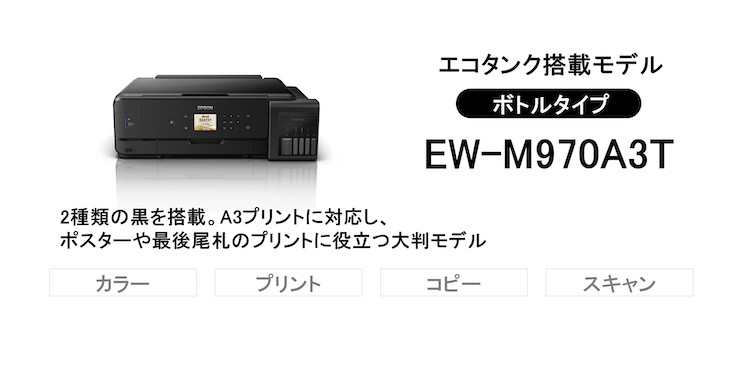
● Print up to A3
Utilize this printer to print up to A3, including posters and catalogs.
*Please note that you can only scan up to A4-size.
● The EcoTank method can reduce up to 90% of your printing cost (see Note 2).
● Enjoy a year worth of ink (see Note 3).
The printer comes with a high-capacity ink tank.
With a single ink replenishment, you can print up to 5,000 pages of A4 colored documents and 8,000 pages of A4 monochrome documents. So rest assured because you no longer have to replace ink as often! What's more, the printer comes with a year worth (see Note 3) of ink upon the time of purchase, so you can start printing right away without having to prepare some spare ink in advance.
● Print heaps of illustrations and documents.
The printer is equipped with not only a black pigment but also the photo black dye. You can, therefore, entrust this printer to print colored illustrations, monochrome manga, or a copy of your receipt with ease.
Note 1: Please refer to this page for our calculation method.
Note 3: The cost is based on the assumption that about 300 pages of A4 colored documents are printed in a month.
Want to print on an A4 paper? Then this is for you!
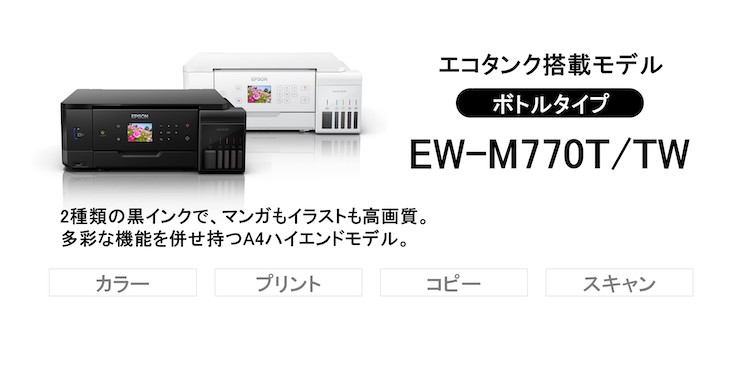
Click the link to see other models that are equipped with EcoTank, a low-cost printing solution: https://www.epson.jp/products/ecotank/
A Portal for Creators
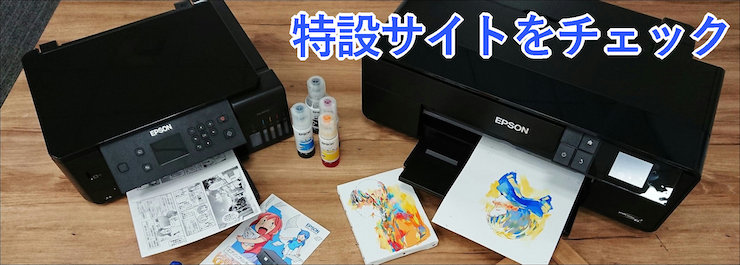
A new website where you can find the latest useful information to support your creative activities, including producing manga, illustrations, and doujinshi and more. Click the link to explore the website!
Epson's Authorized Twitter Account
Epson's Authorized Twitter Account Special Lottery

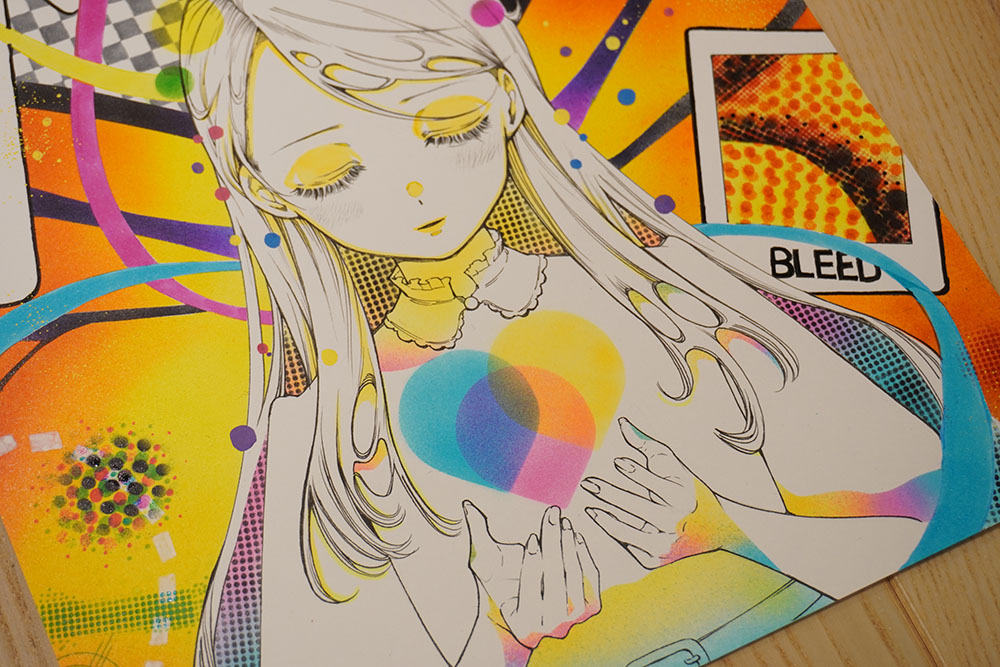
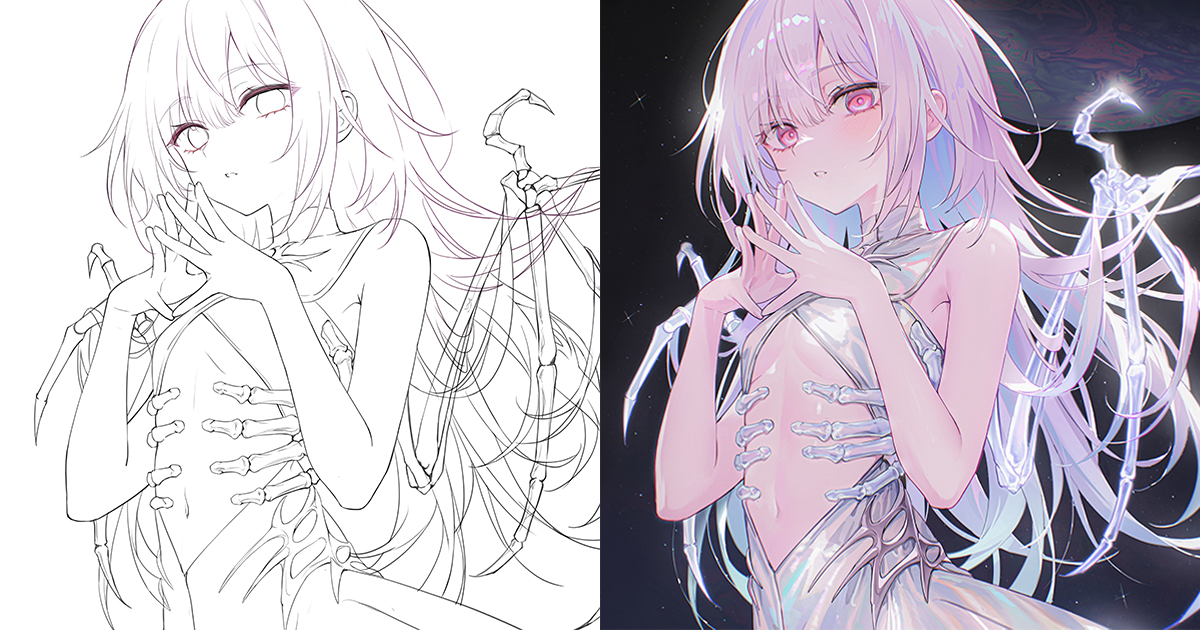
Follow Epson's authorized twitter account @EpsonCreativeJP and click the exclusive button below to post a tweet! The lottery will determine 3 and 97 people to receive A4-size framed art and postcards respectively. The art featured is the illustration that U35 drew for this interview! We will present the lucky winners with a high-resolution print of the illustration using the EW-M970A3T model.
Lottery Period
December 20, 2018 (Thu.) - January 6, 2019 (Sun.)
Winners
100 people total (A4-size framed art for 3 people and postcards for 97 people)
*We will contact the winners directly via Twitter's Direct Message.
*You will only find out what your prize is after the package arrives, so look forward to it!
How to Participate
1. Follow Epson's authorized Twitter account, namely Epson Sales Creative Communication @EpsonCreativeJP
2. Click on the following button to post a tweet that contains either the URL of this article or the hashtag #U35さんとエプソン
After agreeing to Epson Sales Japan's Use of Personal Information, post the tweet to participate in the lottery.

*Feel free to edit the content of your tweet as long as it includes the URL of this article or the designated hashtag.
*Your account needs to be public in order to be eligible for the lottery. Please check your account's profile visibility settings beforehand.
*Do not delete the tweet until March 31, 2019 (Sun.). If you are chosen but you have deleted the tweet, we may have to revoke your prize.
Regarding the Selection, Shipping Address, and Use of Personal Information
Epson Sales Japan will conduct a strict lottery process to determine winners out of all applicants. Epson's Authorized Twitter account @EpsonCreativeJP will inform the winners via Twitter's Direct Message. Winners will have to fill in an addressee information form (to contain fields number 1 to 5) before January 18, 2019 (Fri.), 23:59 JST:
1. The chosen Twitter account name (e.g. @●●●)
2. The winner's name (real name)
3. Postal code and address
4. Phone number
5. Email address (to notify that you have indeed been registered)
*Epson's Authorized Twitter account @EpsonCreativeJP will notify the winners and send the aforementioned addressee information form via Twitter's Direct Message.
*Please make sure in advance that your Twitter account can receive direct messages from Epson's Authorized Twitter account @EpsonCreativeJP.
*If you are chosen but fail to submit the addressee information form before the deadline, January 18, 2019 (Fri.), 23:59 JST, we may have to revoke your prize.
Epson Sales Japan's Use of Personal Information
Epson Sales Japan will appropriately manage any personal information obtained in the process of the lottery, including applicants' Twitter usernames and the information written by the winners on the addressee information form, and use the information only for the purpose of the Twitter lottery and delivery of prizes.
Please visit Epson's homepage for details regarding Epson Sales Japan's use of personal information. You can send individual inquiries on the use of personal information by contacting this email address:
Email: privacy@epson.jp
Operating hours: 9:00-17:30 JST (except weekends, holidays, and Epson's designated holidays)
*If you leave a message outside the aforementioned hours, Epson will get back to you on the following business day.
Epson Sales Japan Authorized Twitter: @EpsonCreativeJP
Epson Sales Japan Official Website: https://www.epson.jp/




![[Artist’s Spotlight] An interview with designer and illustrator John Kafka - Where traditional painting meets contemporary fashion](https://i.pximg.net/imgaz/upload/20260810/573420973.jpg)

Get the Name Card Template now!
You can download the name card template for free! By using the template, you will be able to effortlessly produce original name cards by printing them on your favorite media type.
>>>Click here to download (ZIP/Password: 20181220)<<<